13. Login Log - Frontend
This article follows [8. Login Log] and [11. Managing API Keys — Frontend Implementation]. Previously, I implemented the backend for the login log. Here, I cover the frontend implementation.
1. Login Log Menu Structure
- To visualize the layout, I created a simple diagram of the login log menu.
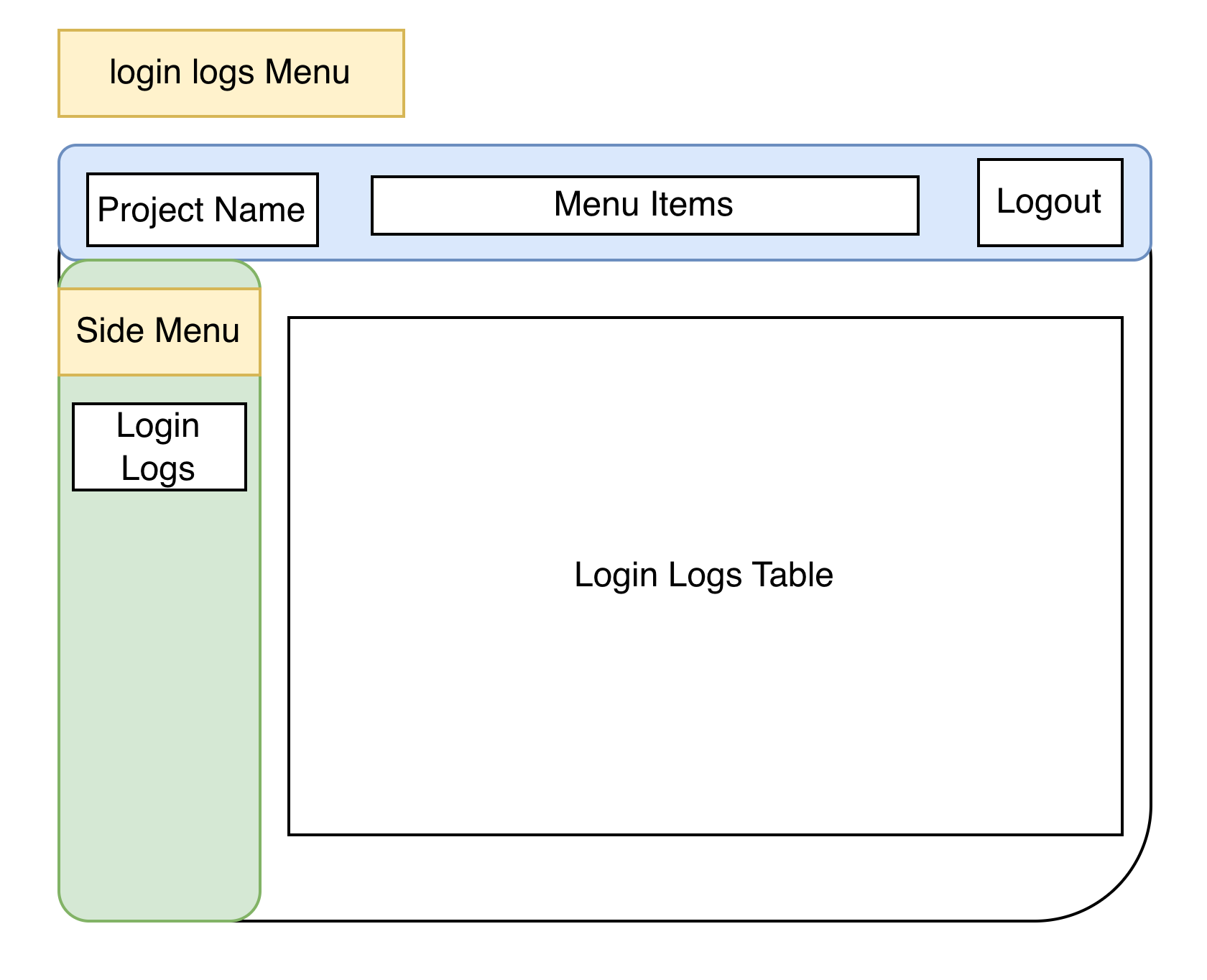
The current project’s login log menu is shown above.
- Left-side menu items: Under Logs, several submenus are available.
- Login logs table: Displays login attempts.
The sidebar stays fixed on the left, and the table area renders on the right.
2. Frontend
2.1 LogSideBar.tsx
-
This component renders the sidebar menu.
-
This menu currently includes a Login Logs item for navigating to the login logs view.
-
Clicking a menu item renders the corresponding content.
import { ListGroup } from "react-bootstrap";

type LogSidebarProps = {
    selected: string;
    onSelect: (key: string) => void;
};

const LogSidebar = ({ selected, onSelect }: LogSidebarProps) => {
    return (
        <div className="bg-light vh-100 border-end p-3">
            <h5>Logs</h5>
            <ListGroup>
                <ListGroup.Item
                    active={selected === "login"}
                    onClick={() => onSelect("login")}
                    style={({ cursor: "pointer" })}
                >Login Logs</ListGroup.Item>
            </ListGroup>
        </div>
    )
}

export default LogSidebar;
2.2 Logs.tsx
- This page reuses components introduced in previous articles:
-
DynamicLogTable.tsx, Axios serviceimport { useState, useEffect } from "react"; import { Container, Row, Col, Pagination } from "react-bootstrap"; import LogSidebar from "@/components/LogSideBar"; import DynamicLogTable from "@/components/DynamicLogTable"; import api from "@/services/axios"; const Logs = () => { const [selectedLog, setSelectedLog] = useState("login"); interface LogEntry { [key: string]: string | number | boolean | null; } const [logDataMap, setLogDataMap] = useState<Record<string, LogEntry[]>>({}); const [pageMap, setPageMap] = useState<Record<string, number>>({ login: 1 }); const itemsPerPage = 10; useEffect(() => { if (!logDataMap[selectedLog]) { const endpoint = selectedLog === "login" ? "/api/log/user-logins" : ""; if (endpoint) { api.get(endpoint).then((res) => { setLogDataMap((prev) => ({ ...prev, [selectedLog]: res.data })); setPageMap((prev) => ({ ...prev, [selectedLog]: 1 })); }); } } }, [selectedLog, logDataMap]); const currentPage = pageMap[selectedLog] || 1; const allData = logDataMap[selectedLog] || []; const indexOfLastItem = currentPage * itemsPerPage; const indexOfFirstItem = indexOfLastItem - itemsPerPage; const currentData = allData.slice(indexOfFirstItem, indexOfLastItem); return ( <Container fluid> <Row> <Col md={2}> <LogSidebar selected={selectedLog} onSelect={setSelectedLog} /> </Col> <Col md={10} className="p-4"> <> <DynamicLogTable title={`${selectedLog} Logs`} data={currentData} /> {allData.length > itemsPerPage && ( <Pagination className="justify-content-center mt-4"> {Array.from({ length: Math.ceil(allData.length / itemsPerPage) }, (_, i) => ( <Pagination.Item key={i + 1} active={i + 1 === currentPage} onClick={() => setPageMap((prev) => ({ ...prev, [selectedLog]: i + 1 }))} > {i + 1} </Pagination.Item> ))} </Pagination> )} </> </Col> </Row> </Container> ); }; export default Logs;
-
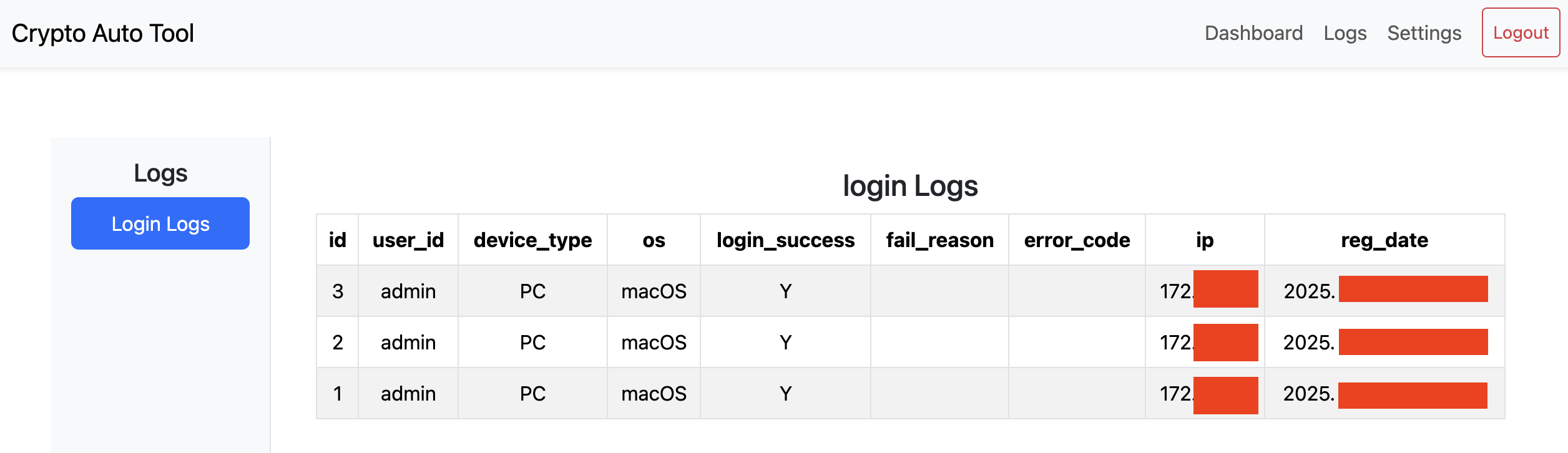
3. Result